
Your on-demand icon designer.
Ask for an icon and watch it take shape in your design system.
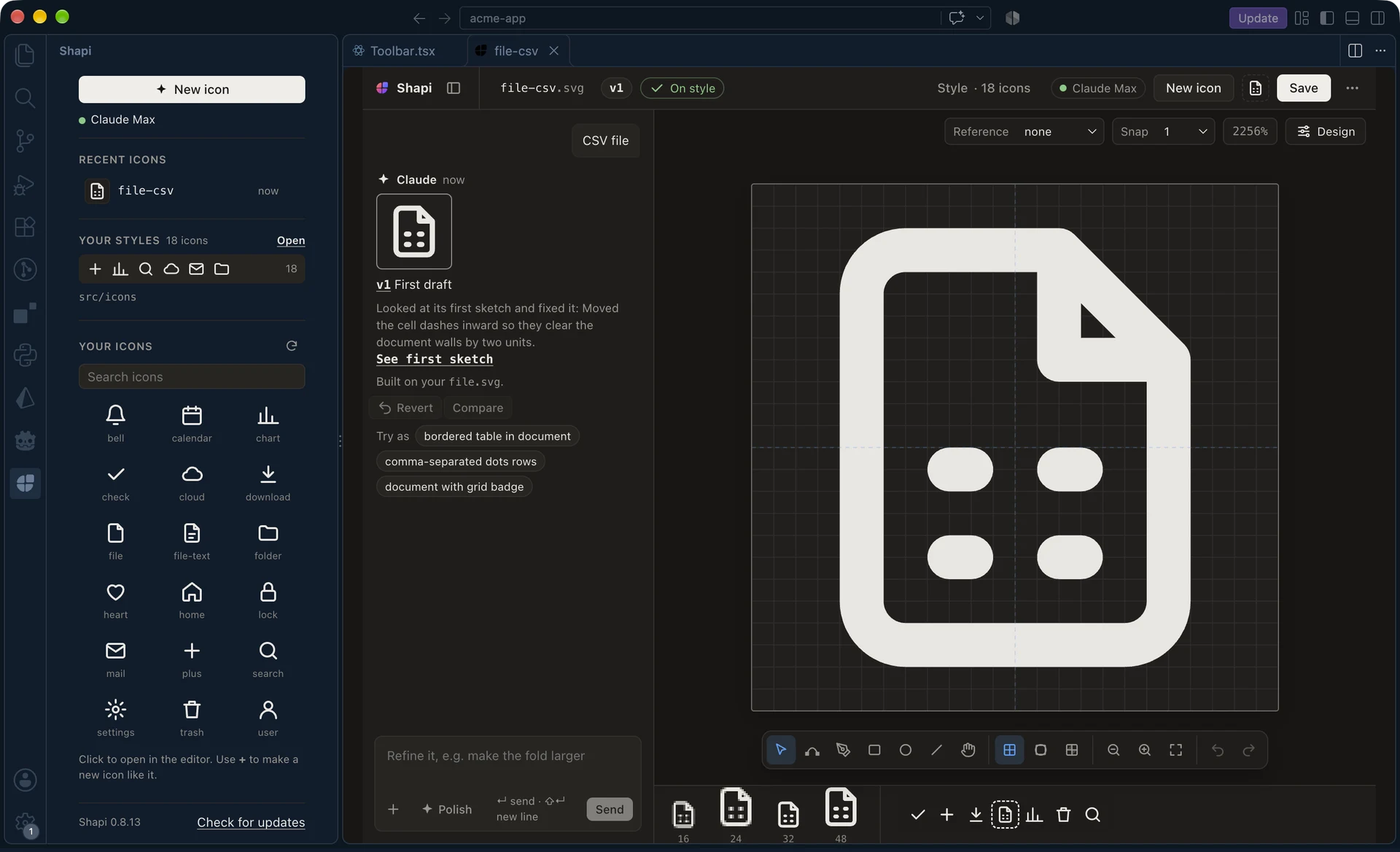
Try it
Pick an icon. This demo has a few ready-made answers.
Open this page on a bigger screen to try it.
How it works
-
01
It learns your design system
Point it at your icons. It picks up their size, lines, corners and spacing.
-
02
You ask for an icon
Describe it in a few words and watch it take shape.
-
03
You finish it
Tweak it by hand. Your changes stay.
Why not just…
Draw it yourself or ask a chatbot? Neither knows your design system.
| What you need | Figma | A chatbot | Shapi |
|---|---|---|---|
| Follows your design system | By hand | No | Yes |
| Built on your existing icons | By hand | No | Yes |
| Looks right at small sizes | You check | No | Checked for you |
| Edit by hand | Yes | No | Yes |
| Saved to your repo | Export it | Copy it | ⌘S |
Details
- Checks its own work
- Fixes thin lines and blurry edges.
- Built on your icons
- A new file icon starts from your file icon.
- Every version kept
- Go back any time, or compare two.
- One-key save
- ⌘S saves it to your icons folder.
- Private
- Runs on your machine. No accounts, no tracking.
- A real editor
- Pen, shapes and points, like a design tool.
Questions
Is it AI?
Yes. It uses Claude through your own Claude Code.
Do I need an API key?
No. Your Claude Code sign-in is enough.
What does it add to my repo?
Only the icons you save.
My repo has outline and filled icons.
That's fine. It keeps them apart.
Found a bug?
Tell us on GitHub.
Install
- Install Claude Code and sign in.
- Download Shapi.
- In VS Code: Extensions, ⋯, Install from VSIX…
- Click Shapi in the status bar.